Find your way around the dashboard
What the menu, dashboard tiles and the bell show, and where to look first each day.
By the end you know where to see who is waiting on you and which reviews are late.
The menu
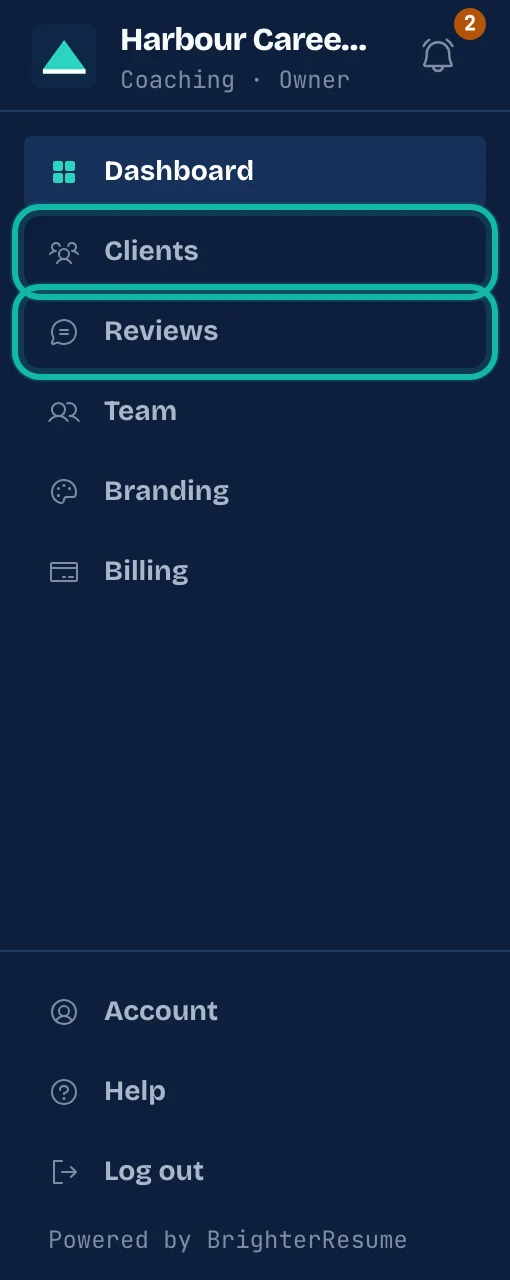
The menu on the left shows your business name and your role. It lists Dashboard, Clients and Reviews for everyone. Owners and admins also see Team and Branding, and only the owner sees Billing. On a phone, select the menu button at the top to open it.
At the bottom you find Account and Log out.
The dashboard
Open Dashboard to see:
Plan and AI credits available for the business.
Seats used, which counts the people on your team.
Active clients, how many client places you have used.
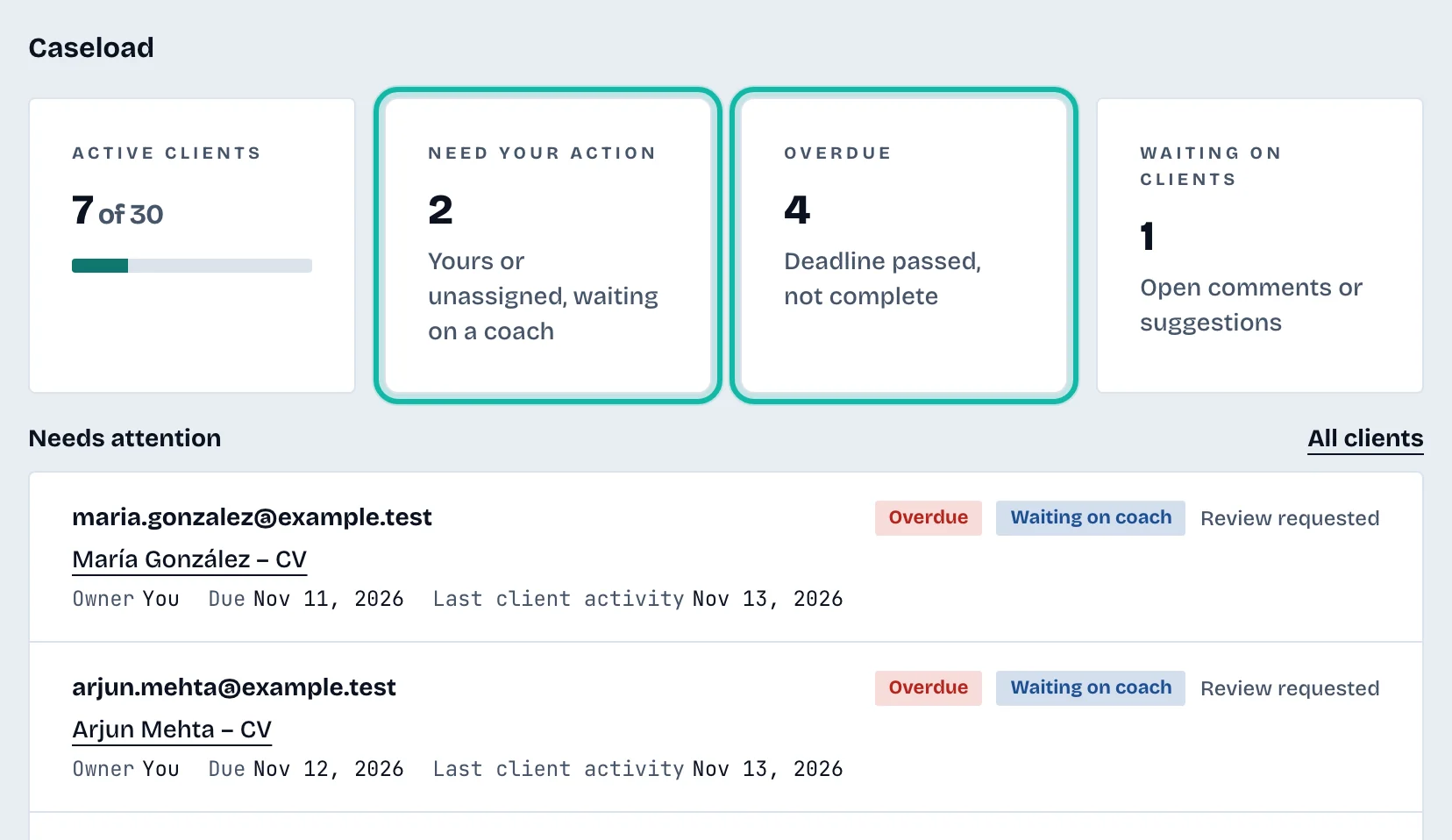
Need your action: reviews that are yours or unassigned and waiting on a coach.
Overdue: reviews whose deadline has passed and are not complete. It shows a dash when no review has a deadline.
Waiting on clients: reviews with open comments or suggestions.
Needs attention, a list of the most urgent clients. Select All clients to see everyone.
Charts of Reviews completed per week and Open reviews by status.
The bell
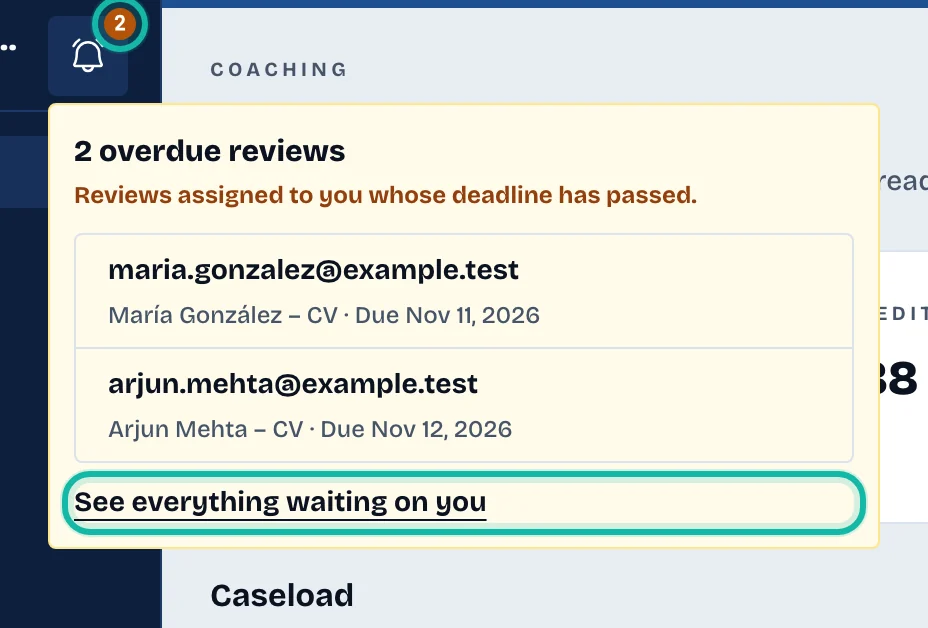
The bell sits next to your business name. It shows a number when reviews assigned to you are overdue. Select it to see each client, the résumé title and the due date. Select an entry to open that review. See everything waiting on you opens the clients list filtered to Waiting on me.
What if…
The tiles say "Not available"? The figures could not be loaded. Reload the page.
A banner says the plan has ended or payment failed? Owners can fix this in Billing and your plan. Other team members should ask the owner.