Create and manage export presets
Save how a client likes CVs presented, then reuse, edit, duplicate or set a default.
By the end you have saved presets that fill in the export choices for you, and one set as the default.
A preset controls only how the exported document looks: design, your logo and contact, which identifiers are hidden, heading names and watermark. It never changes the source CV, and exports already made keep their own settings. Everyone in your agency can use the presets.
Create a preset
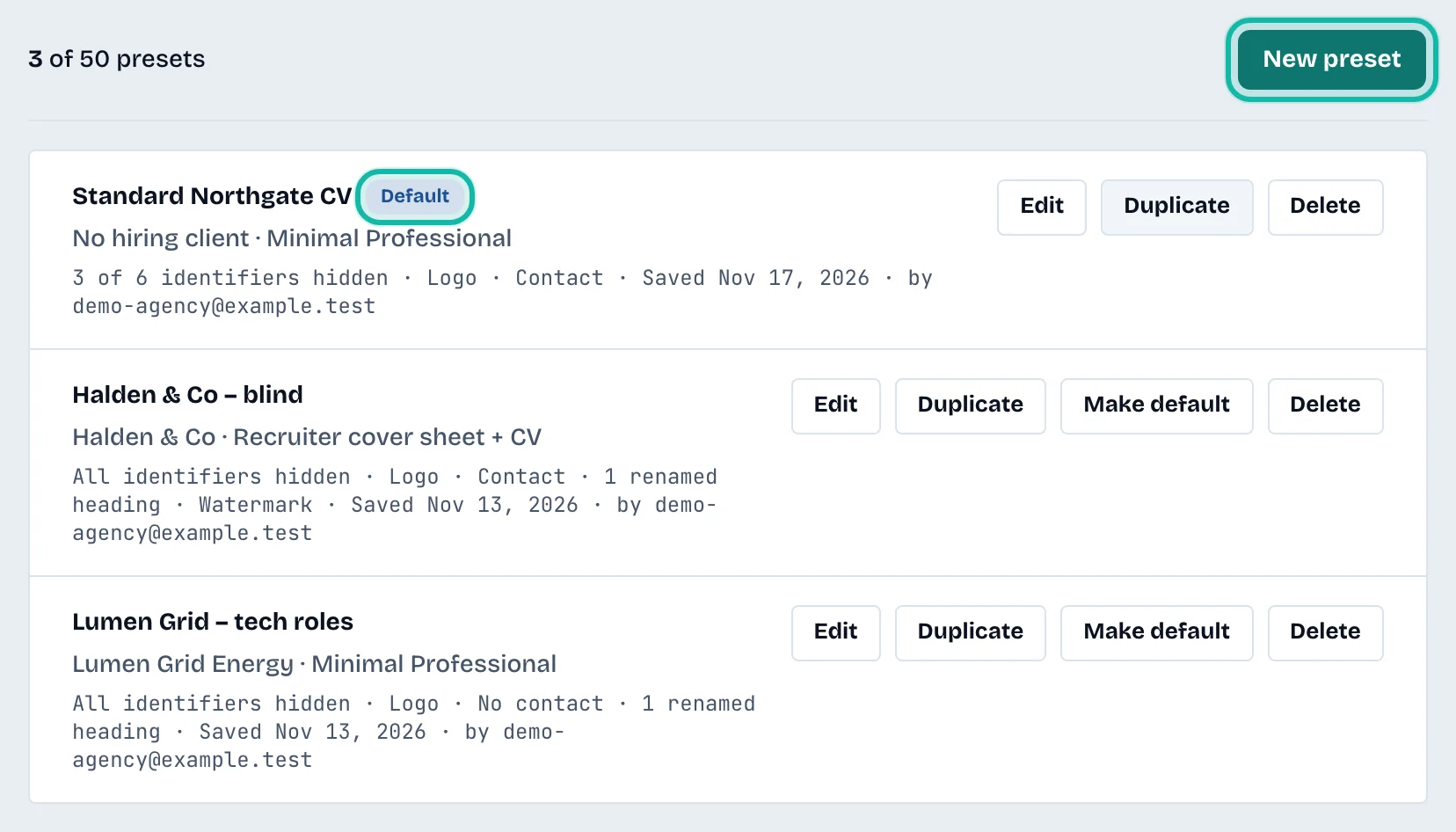
Select Export presets in the left menu, then New preset.
Enter a Preset name, for example "Blind CV, no contact details".
Optionally enter a Hiring client (optional). It only groups presets. It is not printed and creates no client record.
Choose a Design, tick what to show and hide, rename Section headings if you want, and set a Watermark.
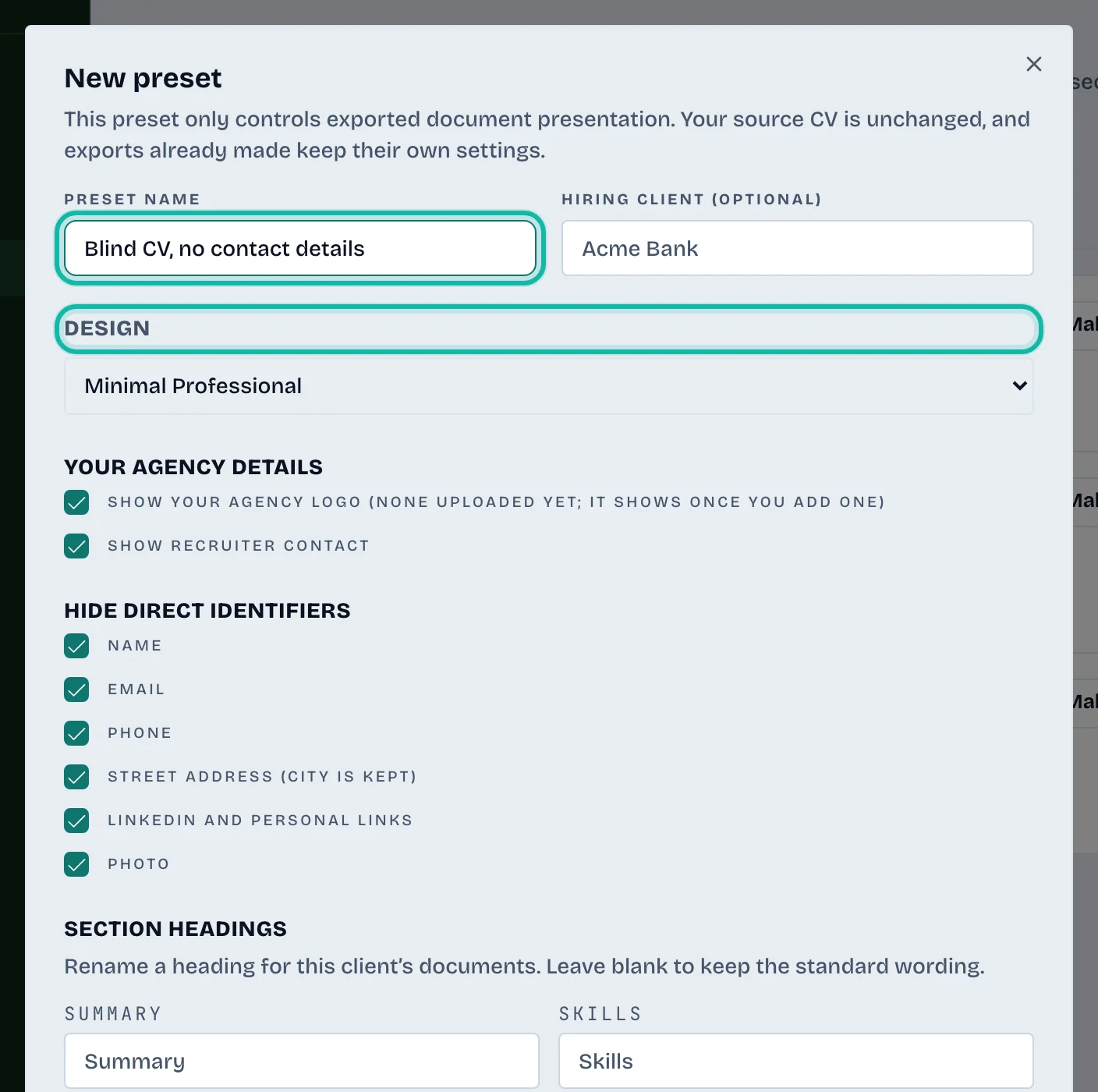
Tick Use it by default for new exports if you want it chosen automatically.
Select Save preset.
Save a preset from an export
On a CV's export page, set your choices, then select Save these choices as a preset. Name it and select Save preset. The role, summary and CV are not part of a preset.
Use a preset
On Prepare export, choose it in Export preset. The default is chosen for you, and you can still pick No preset. Changing any choice afterwards affects only that export. See Prepare an export for a client.
Edit, duplicate, make default or delete
Each row has buttons:
Edit opens the form again.
Duplicate makes a copy to adjust.
Make default sets it as the default. Only one preset can be the default. A default shows the Default badge.
Delete asks you to confirm with Delete preset. Exports already made with it stay downloadable.
What if…
The New preset button is disabled? An agency can hold up to 50 presets. Delete one you no longer use.