Find your way around the dashboard
What the agency dashboard shows and what each item in the left menu opens.
By the end you know what the dashboard tells you and where each menu item leads.
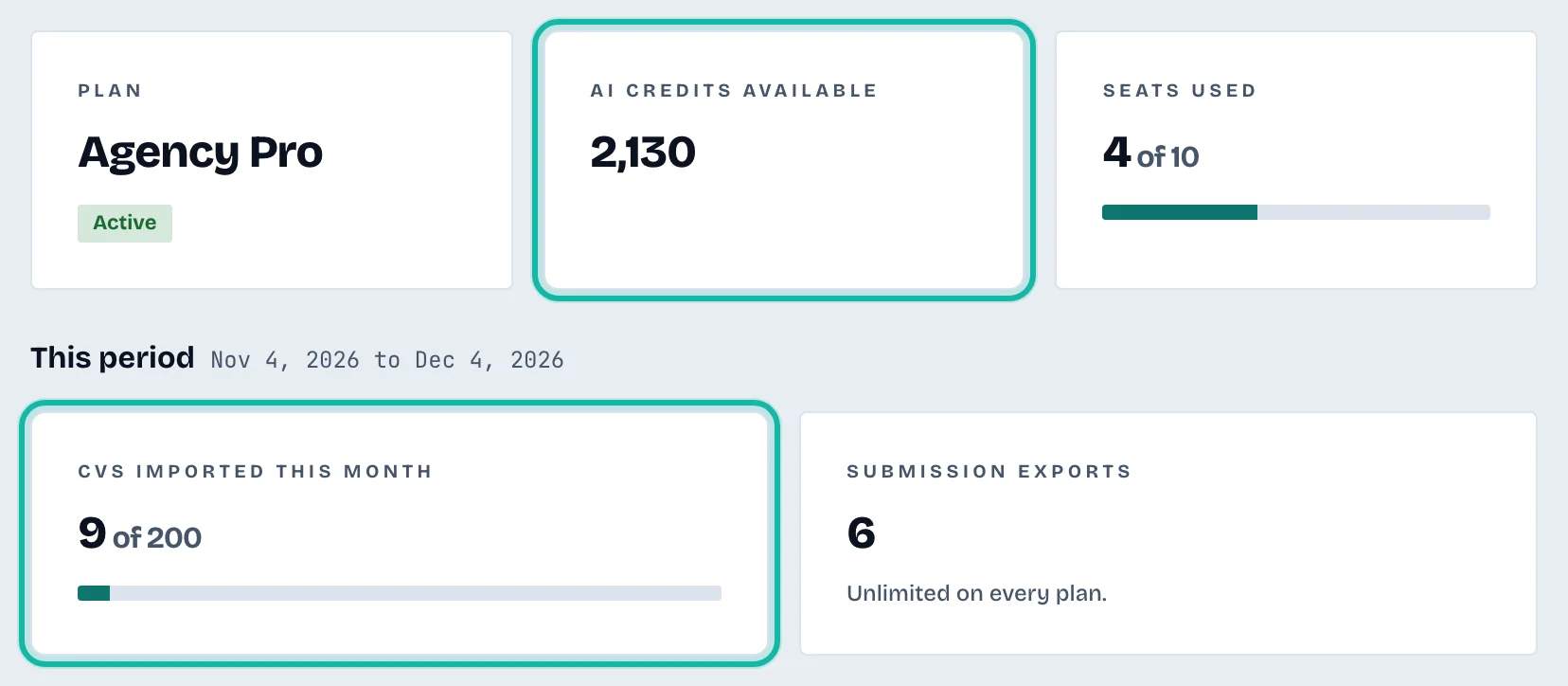
Open Dashboard in the left menu (or go to /business). It shows your agency name and welcome text, then:
Plan, with its status such as Active or Free trial.
AI credits available, the pool your whole team shares.
Seats used, how many recruiters are on the team out of the number your plan allows.
CVs imported this month, against your plan's allowance.
Submission exports, the exports made this period.
The left menu
Dashboard: this page.
Candidates: every candidate CV. See Find a candidate.
New CV: upload a CV. See Add a candidate CV.
Export presets: saved export settings. See Create and manage export presets.
Team: invite and manage recruiters. Owners and admins only.
Branding: logo, colour and recruiter contact. Owners and admins only.
Billing: plan and payment. Owner only.
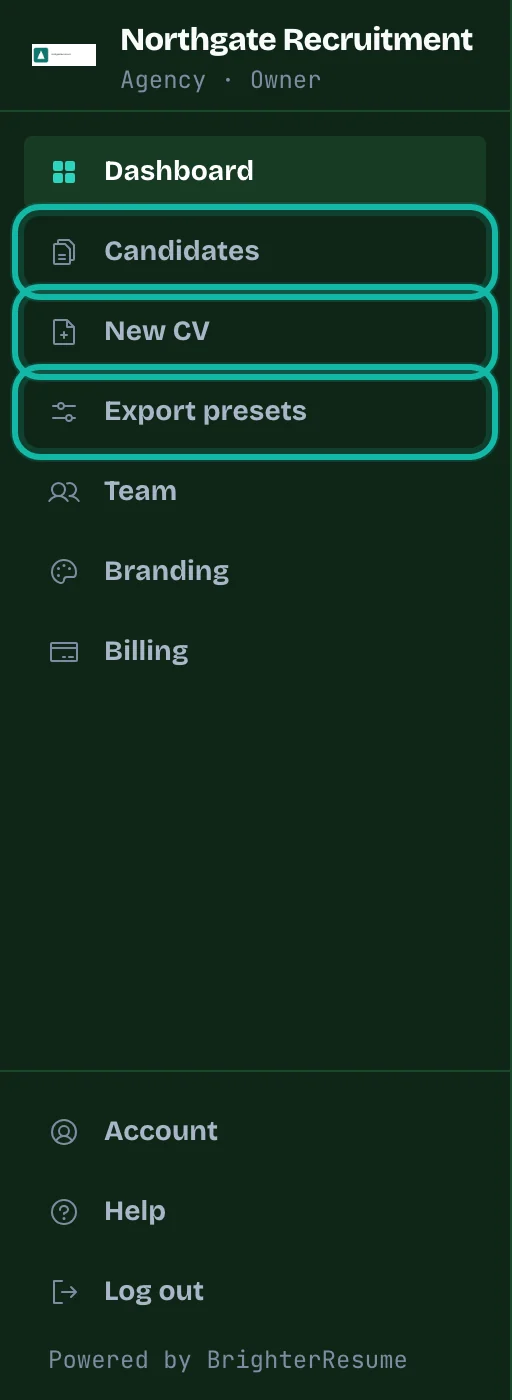
Recruiters with the Staff role see only Dashboard, Candidates, New CV and Export presets. Account and Log out are at the bottom for everyone.
What if…
A banner says the last payment failed? AI work, imports and exports are paused until the card is updated. The owner can do this under Billing.
A figure says Not available? Reload the page. If it stays, contact support.