Tailor a CV to a job
Paste a job description, see what the CV already shows, and save the improvements you choose as a new copy.
By the end you have a tailored copy of the candidate's CV for one role. The original is never changed.
Tailoring is optional. Use it when a CV should speak to a specific job. Analysing and suggesting use credits from your agency's shared pool, and the page tells you before each paid step; see the pricing page for allowances.
Run the analysis
Open the candidate and select Tailor for a role.
Optionally fill in Job title (optional) and Company (optional).
Paste the full text into Job description. It needs at least 80 characters.
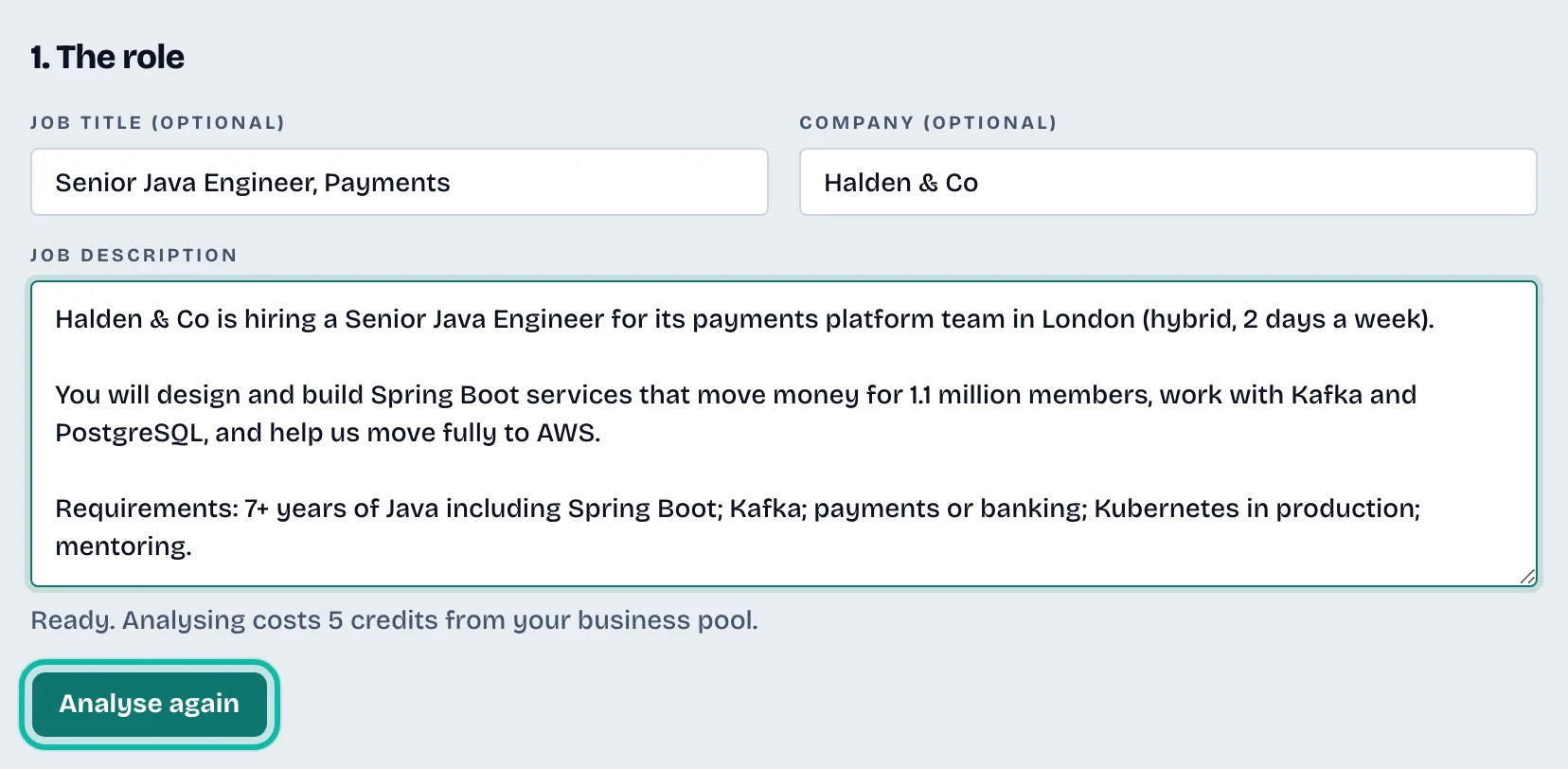
Select Analyse fit (it reads Analyse again if this CV was analysed before).
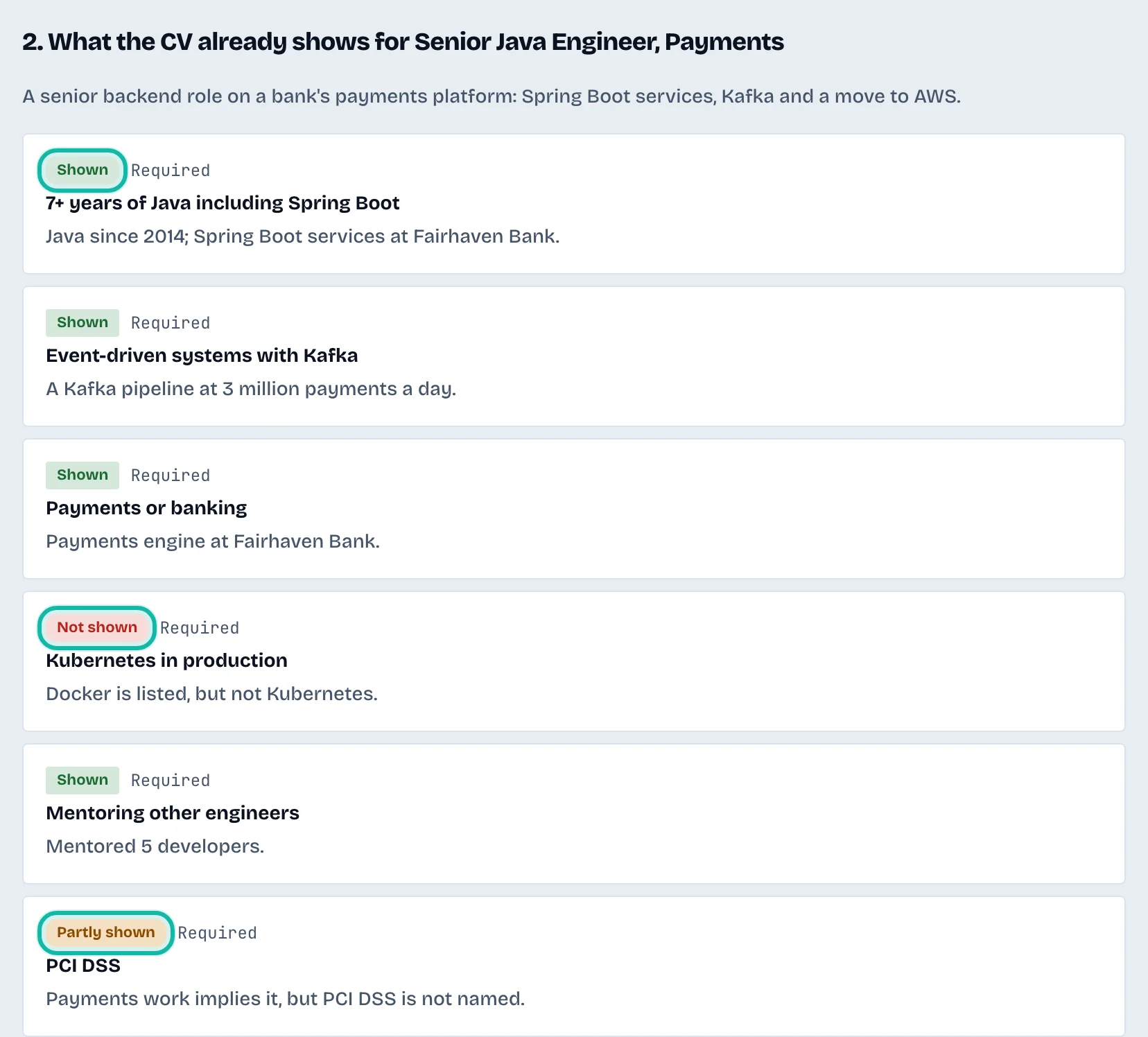
Section 2. What the CV already shows lists each requirement with a badge: Shown, Partly shown or Not shown, marked Required or Preferred.
Choose improvements
Select Suggest fixes. It writes wording for the requirements not fully shown, using only facts already in the CV.
In 3. Choose the improvements, tick each suggestion you want. The old wording appears struck through above the new wording.
Edit the wording in the box if needed, and read any warning under a suggestion.
To add your own, use Add your own point: choose the Requirement, Where it goes, write the point, and select Add point. Only add what the candidate really did.
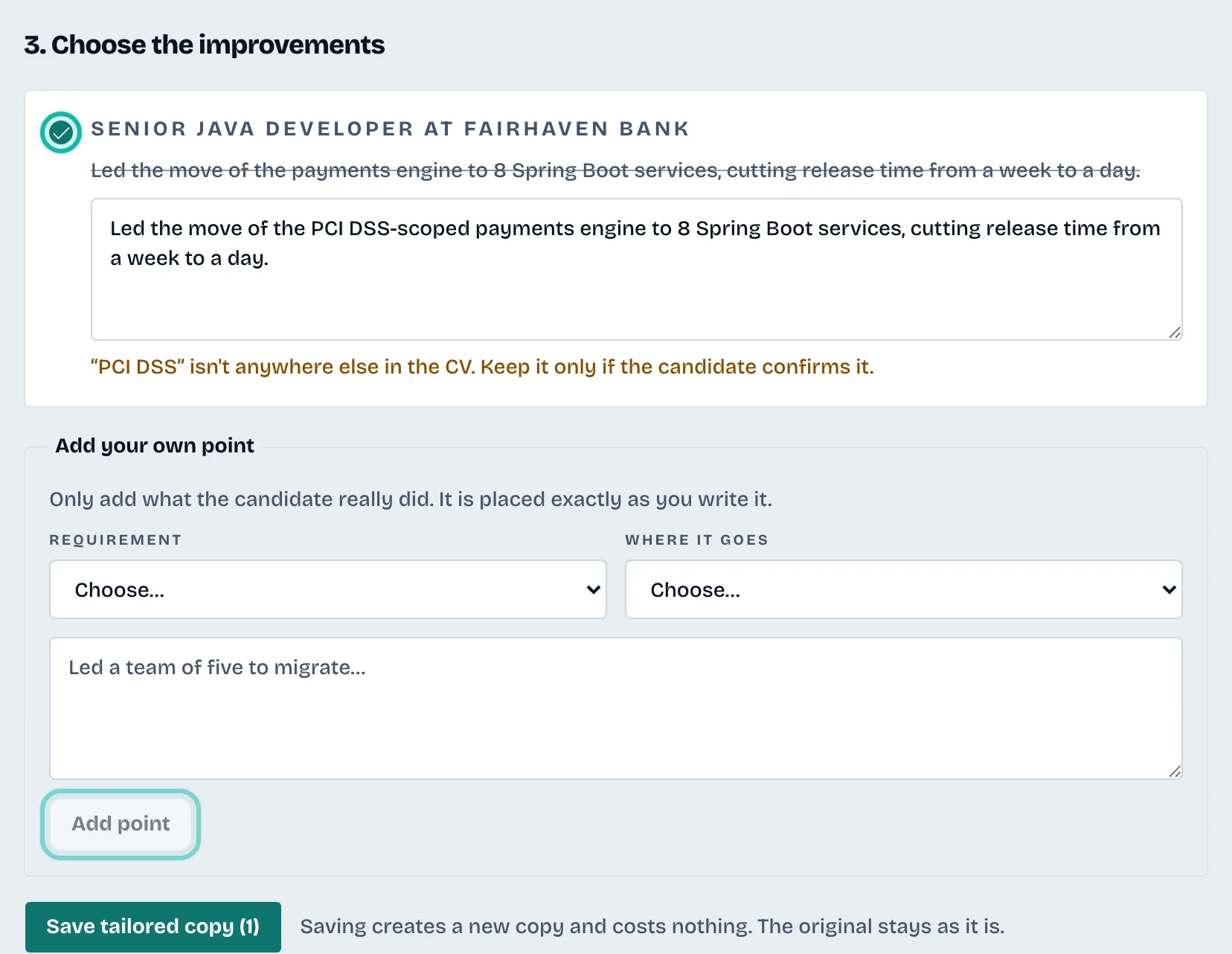
Select Save tailored copy. The number in brackets is how many changes you chose. Saving makes a new copy and costs nothing.
You land on the new copy. Switch between it and the original with the tabs at the top. See Work on a candidate's CV.
What if…
It says Nothing to fix? Every requirement is already shown. There is nothing to improve.
It says The CV changed? The CV was edited after the analysis. Select Analyse again before suggesting fixes.
The step failed? You are not charged. Try again.
It says not enough credits? The owner can top up under Billing. See Billing and your plan.