Find a candidate
Search the candidates list by label and filter it by review status.
By the end you can find any candidate by label and see which CVs still need a check.
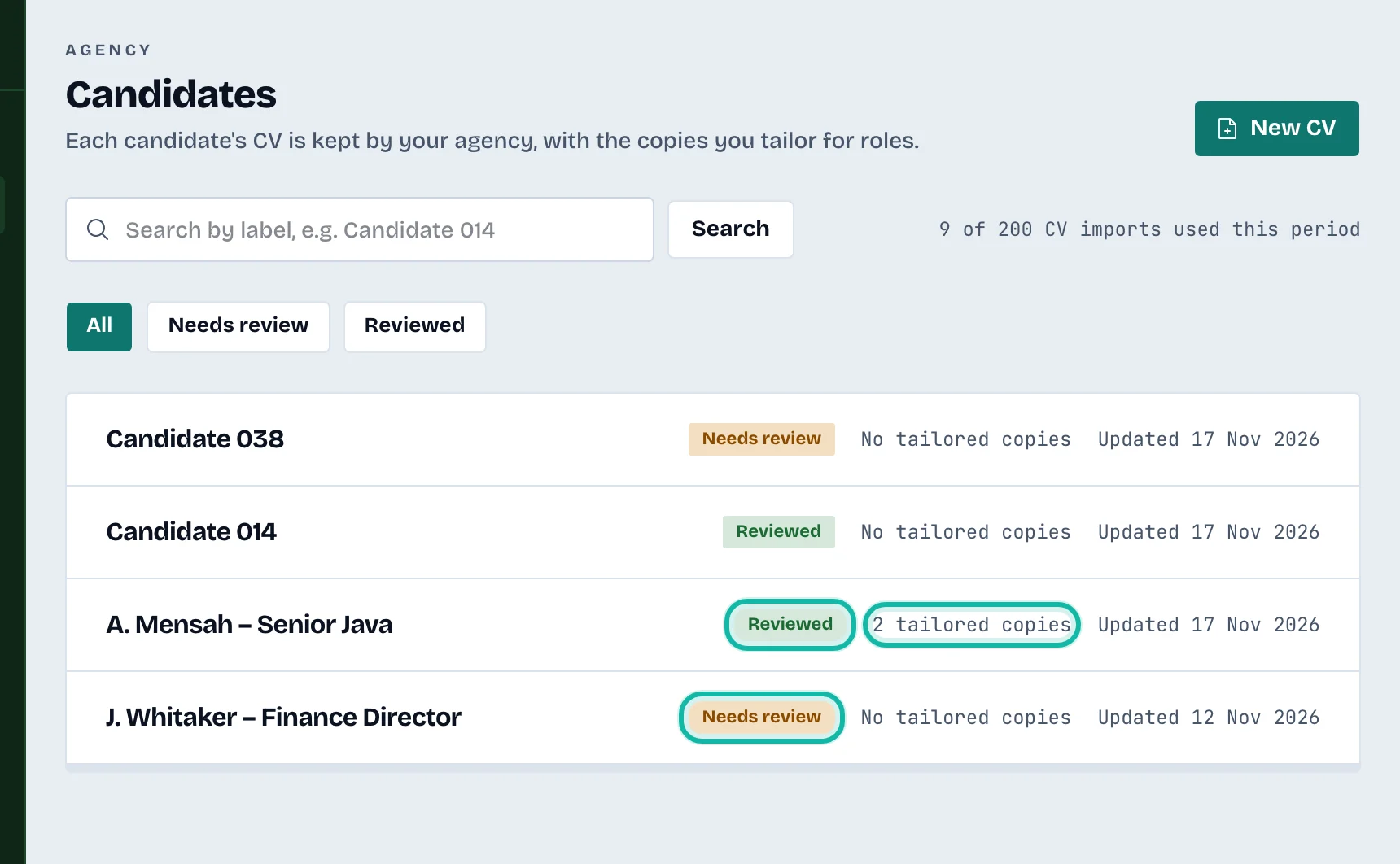
Open Candidates in the left menu. Each row shows the candidate label, a status (Needs review or Reviewed), the number of tailored copies and the date it was last updated. Select a row to open the candidate.
Search
Type part of the label in Search by label (for example
Candidate 014).Select Search.
Search looks at labels only, not CV content.
Filter by status
Use the buttons All, Needs review and Reviewed under the search box. The filter and the search work together.
The import counter
Next to the search box, a line shows how many CV imports you have used this period, for example "3 of 50 CV imports used this period".
What if…
It says No candidate matches? Check the label spelling, or select Clear filters.
I want to remove a candidate? Open the candidate and select the bin icon (Delete candidate). This permanently deletes the CV, every tailored copy, the saved versions, the uploaded file and the export records. It cannot be undone.
The list runs to several pages? Pages hold 25 candidates. Use the page links under the list.