Review your résumé quality
See which writing checks your résumé passes, jump to what needs work, and run an optional AI review of your bullet openings.
By the end of this article you know which parts of your résumé to strengthen first.
The Resume quality panel gives writing guidance. It is not a job-match score. For a job, use Check your fit and fix the gaps.
Open the review
In the editor header, select Quality, shown with a count such as Quality 6/9. The round gauge beside the back arrow opens the same panel.

Read Overall quality at the top of the panel.
Go through the checks. A tick means passed, an empty circle means not yet, and Not scored means the check does not apply to you yet.
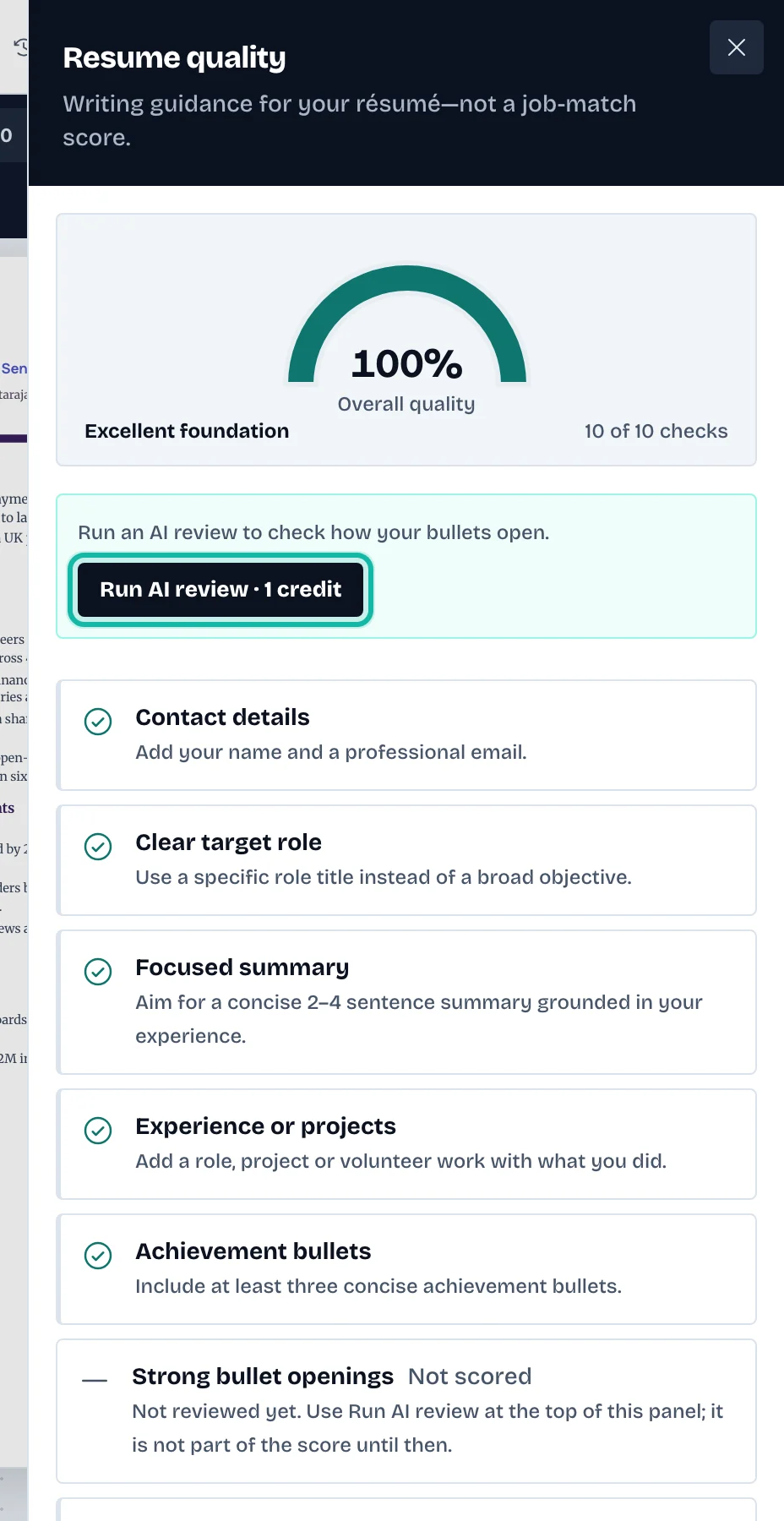
Select a check. The panel closes and the editor opens the right section and field.
The checks cover contact details, a clear target role, a focused summary, experience, achievement bullets, how bullets open, plain wording, evidence and outcomes, education and skills.
Run the AI review (optional)
The Strong bullet openings check is not counted until you run an AI review.
Select Run AI review at the top of the panel. It uses credits.
Wait for Reviewing…. The panel then says the review is up to date. It may say how many bullets it covered.
What if…
I changed my bullets after the AI review? Run it again; the panel tells you when the review no longer matches.
A check will not pass? Read its advice line and fix the field it opens. Say what you did, use plain words, and add an outcome.
Education is "Not scored"? It is optional when you have work experience.